Storage Units Explained: Bytes, GB, GiB and Why Drives Show Less
By GigaGone Editorial Team Published Topic: Storage Units & Capacity
Storage manufacturers measure capacity in decimal units (1 GB = 1,000,000,000 bytes; 1 TB = 1,000,000,000,000 bytes), while operating systems like Windows calculate in binary units (1 GiB = 1,073,741,824 bytes) and label them GB. Because of that math difference, a 1 TB drive displays as approximately 931.32 GiB on Windows with no space actually missing.
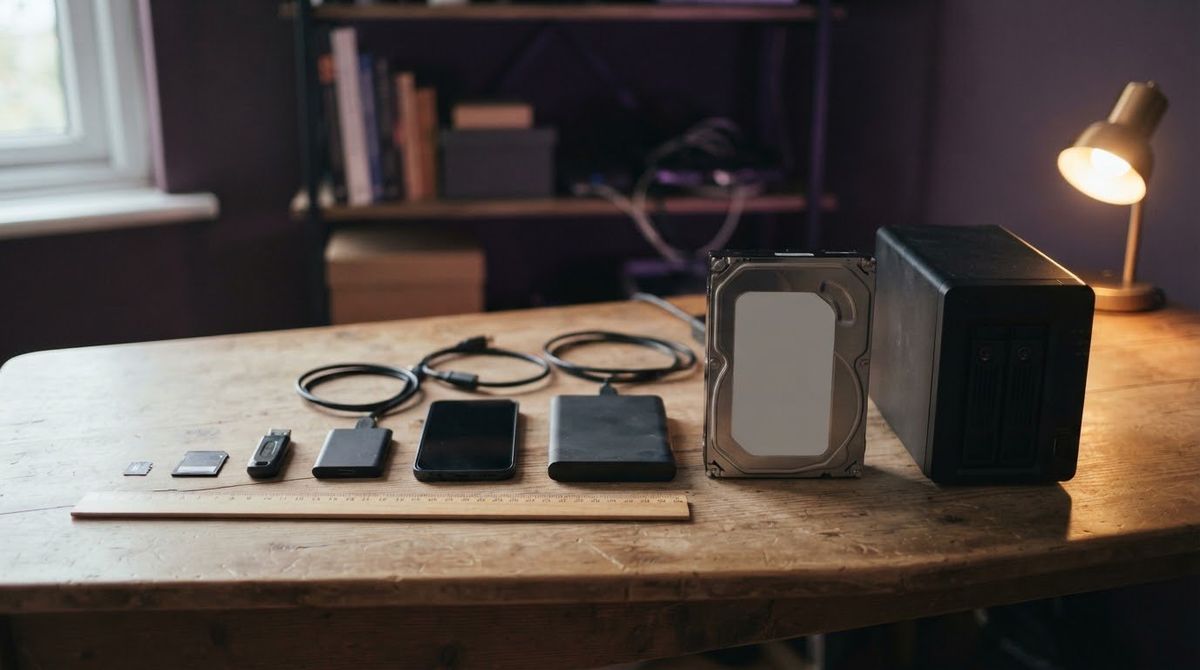
If you have ever plugged in a brand-new 1 TB external drive and watched your computer report only 931 GB, you have run into the single most common source of confusion in digital storage: two different measuring systems using the same names.
This hub explains every storage unit from bits and bytes up to terabytes and tebibytes, why drive labels and operating systems disagree, and how to convert between them accurately.
Bits vs. Bytes: The Building Blocks
Every digital file is stored as binary digits—ones and zeros.
- 1 bit (b): A single
0or1. Internet speeds (like 100 Mbps) are usually measured in bits per second. - 1 byte (B): 8 bits grouped together. File sizes and drive capacities are measured in bytes. Because 1 byte = 8 bits, a 100 Mbps internet connection downloads at a theoretical maximum of 12.5 megabytes per second (MB/s).
Decimal (SI) Units: KB, MB, GB, TB
Drive manufacturers, cloud storage providers, and international standards bodies (SI / NIST) use decimal powers of 10—each step multiplies by 1,000:
| Unit | Symbol | Exact Value in Bytes | Everyday Comparison |
|---|---|---|---|
| Kilobyte | KB | 1,000 ($10^3$) | A short plain-text email |
| Megabyte | MB | 1,000,000 ($10^6$) | One smartphone photo (~2–5 MB) |
| Gigabyte | GB | 1,000,000,000 ($10^9$) | Roughly 7 to 10 minutes of 1080p phone video (varies by phone and settings) |
| Terabyte | TB | 1,000,000,000,000 ($10^{12}$) | Hundreds of thousands of photos or a large PC backup |
Binary (IEC) Units: KiB, MiB, GiB, TiB
Computer memory and file systems work naturally in powers of 2 ($2^{10} = 1,024$). To end the confusion between 1,000 and 1,024, the International Electrotechnical Commission (IEC) and NIST standardized binary prefixes (KiB, MiB, GiB, TiB):
| Unit | Symbol | Exact Value in Bytes | Difference vs. Decimal |
|---|---|---|---|
| Kibibyte | KiB | 1,024 ($2^{10}$) | +2.4% larger than KB |
| Mebibyte | MiB | 1,048,576 ($2^{20}$) | +4.9% larger than MB |
| Gibibyte | GiB | 1,073,741,824 ($2^{30}$) | +7.4% larger than GB |
| Tebibyte | TiB | 1,099,511,627,776 ($2^{40}$) | +10.0% larger than TB |
Why Your Drive Shows Less Space Than the Label
The hardware inside a 1 TB drive really does contain 1,000,000,000,000 bytes. The “missing” space comes from two separate effects:
- Binary vs. decimal math: Windows File Explorer divides those 1,000,000,000,000 bytes by binary $2^{30}$ (1,073,741,824) and prints the result as 931 GB—even though the mathematically accurate label for that number is 931 GiB.
- Formatting and system partitions: Creating a file system (NTFS, exFAT, or APFS) reserves a small amount of space for file tables and metadata. On a phone or laptop’s internal drive, the operating system itself (iOS, Android, Windows, macOS) and recovery partitions also occupy gigabytes right out of the box.
Here is what common drive labels look like in binary GiB before formatting overhead:
- 128 GB = 119.21 GiB
- 256 GB = 238.42 GiB
- 512 GB = 476.84 GiB
- 1 TB (1,000 GB) = 931.32 GiB
- 2 TB (2,000 GB) = 1,862.65 GiB
- 4 TB (4,000 GB) = 3,725.29 GiB
Want to check a specific capacity or file size? Use our interactive GB vs GiB Converter.
How Different Operating Systems Report Capacity
- Windows: Uses binary math ($1,024^n$) for drive sizes and file sizes, while displaying traditional
KB,MB,GB, andTBlabels. - macOS and iOS: Current macOS and iOS report capacity using decimal math ($1,000^n$) to match drive labels (Apple notes iOS 10 and earlier and OS X Leopard and earlier used binary), though formatting and the operating system still reduce available free space.
- Linux: Many Linux tools let you choose or explicitly display IEC binary units (
GiB,TiB) alongside SI decimal units (GB,TB).
Practical Tools and Next Steps
- Convert any drive label or file size instantly with the GB vs GiB Converter.
- Plan how much capacity you need for photos, videos, and backups with the Backup Storage Estimator.
- Trying to track down what is actually filling your phone or computer? Read Where Did My Gigabytes Go? or browse Free Up Storage Space.
- Choosing a physical backup drive? See External Drives, SSDs and NAS: A Beginner’s Guide.
Sources
All Storage Units guides
- Backup Storage Estimator: How Much Space Do You Need?
Estimate how many gigabytes you need for photo, video, and document backups over multiple years, including 3-2-1 copies and 20% headroom.
- GB vs GiB Converter: Where Did My Drive Space Go?
Convert MB, GB, and TB to binary MiB, GiB, and TiB in your browser to see why a 1 TB drive shows 931.32 GiB in Windows without missing space.
- GB vs GiB: Why 1 TB Shows as 931 GiB
A GB is 1,000,000,000 bytes and a GiB is 1,073,741,824 bytes. Learn the standard, the maths, and why 1 TB shows as about 931 in Windows.
- How Big Are Photos and Videos? File Sizes by Format
Typical file sizes for HEIC, JPEG, and RAW photos plus 1080p and 4K video per minute, so you can estimate how many photos fit in 1 GB or 1 TB.
- How Much Storage Do I Need? Phone, Laptop and Backup
How to work out how much phone, laptop and backup storage you need: check what you use now, add growth and versions, and size the backup to match.
- MB, GB and TB Explained With Everyday Examples
Understand kilobytes, megabytes, gigabytes, and terabytes in plain English, with everyday file examples and why 1 TB shows as 931 GiB on Windows.
- Storage and Backup Glossary
Plain-English definitions of common storage and backup terms—from APFS, exFAT, and GiB to NAS, RAID, snapshots, and the 3-2-1 backup rule.
- Why Does My Drive Show Less Space Than the Label?
A 1 TB drive shows about 931 GB because makers count in decimal and Windows in binary. See the table, the other causes and what to check.
Questions readers ask
Why does a 1 TB hard drive show as 931 GB in Windows?
Drive makers define 1 TB using decimal math as 1,000,000,000,000 bytes. Windows divides that exact same number of bytes by binary gibibytes (1,073,741,824 bytes) and labels the result GB, which comes out to 931.32 GB, so no capacity is missing. Formatting then reserves a little more space for the file system, which is why free space on a new drive can look slightly lower still.
What is the difference between GB and GiB?
A gigabyte (GB) is a decimal unit equal to 1,000,000,000 bytes (10^9), while a gibibyte (GiB) is a binary unit equal to 1,073,741,824 bytes (2^30). One GiB is about 7.37% larger than one GB, so the same file or drive always has a smaller number when expressed in GiB.
How much bigger is a terabyte (TB) than a gigabyte (GB)?
In decimal SI units used by drive manufacturers and cloud providers, 1 terabyte (TB) equals exactly 1,000 gigabytes (GB), or one trillion bytes. In binary IEC units used by computer memory and file systems, 1 tebibyte (TiB) equals 1,024 gibibytes (GiB), which is roughly 10% larger than a decimal terabyte.
Does formatting a drive also reduce the free space shown?
Yes, formatting a drive creates file system metadata structures (such as allocation tables and journals) that use a small fraction of the drive's capacity. Hidden recovery partitions or preloaded vendor utilities on external drives can also take up a small amount of space.
How many photos fit in 1 GB?
At a typical smartphone photo size of 3 MB to 4 MB per image, 1 GB (1,000 MB) holds roughly 250 to 330 photos. RAW camera files or high-megapixel bursts are much larger and fit far fewer images per gigabyte.
Where can I convert any drive size from GB or TB to GiB?
You can use the GigaGone GB vs GiB Converter to enter any drive capacity—such as 256 GB, 512 GB, 1 TB, or 4 TB—and immediately see both the exact decimal byte count and the binary GiB figure shown by Windows.
Further reading
- NIST: Prefixes for Binary Multiples (physics.nist.gov)
- Western Digital Support: Available Capacity of the Drive is Smaller than the Drive Label (support-en.westerndigital.com)
- Apple Support: How storage capacity is measured on Apple devices (support.apple.com)
Worth reading next
- Backup Storage Estimator: How Much Space Do You Need?
Estimate how many gigabytes you need for photo, video, and document backups over multiple years, including 3-2-1 copies and 20% headroom.
- GB vs GiB: Why 1 TB Shows as 931 GiB
A GB is 1,000,000,000 bytes and a GiB is 1,073,741,824 bytes. Learn the standard, the maths, and why 1 TB shows as about 931 in Windows.
- GB vs GiB Converter: Where Did My Drive Space Go?
Convert MB, GB, and TB to binary MiB, GiB, and TiB in your browser to see why a 1 TB drive shows 931.32 GiB in Windows without missing space.
- How Much Storage Do I Need? Phone, Laptop and Backup
How to work out how much phone, laptop and backup storage you need: check what you use now, add growth and versions, and size the backup to match.
- MB, GB and TB Explained With Everyday Examples
Understand kilobytes, megabytes, gigabytes, and terabytes in plain English, with everyday file examples and why 1 TB shows as 931 GiB on Windows.
- How Big Are Photos and Videos? File Sizes by Format
Typical file sizes for HEIC, JPEG, and RAW photos plus 1080p and 4K video per minute, so you can estimate how many photos fit in 1 GB or 1 TB.